
Creating invoices in 2026 is easier and more automated than ever. Whether you are a freelancer, small business owner, or running an online store, modern tools allow you to generate clean, professional invoices in minutes. This guide explains what an invoice is, what to include, and how to create one step-by-step using modern tools.
1. Understand What an Invoice Is

An invoice is a document that a seller sends to a client requesting payment for goods or services provided.
Key purposes of an invoice
- Request payment
- Keep financial records
- Track sales and taxes
- Provide proof of transaction
Invoices are used by freelancers, agencies, consultants, online stores, and service businesses.
2. Essential Information Every Invoice Must Include
A professional invoice in 2026 should contain the following elements:
Business information
- Business name
- Address
- Email and phone number
- Logo (optional but recommended)
Client details
- Client name
- Company name (if applicable)
- Address
- Contact information
Invoice details
- Unique invoice number
- Issue date
- Payment due date
Payment breakdown
- Description of products/services
- Quantity or hours worked
- Price per unit
- Taxes (if applicable)
- Total amount due
Payment methods
- Bank transfer
- Credit/debit card
- Digital wallets
- Payment links
3. Choose an Invoice Creation Method

4
In 2026, invoices are commonly created using digital tools instead of manual documents.
Popular methods
1. Invoice software
- Automated invoices
- Payment tracking
- Recurring billing
Examples include:
- FreshBooks
- Zoho Invoice
- QuickBooks
2. Spreadsheet templates
- Microsoft Excel
- Google Sheets
3. Word processing templates
- Microsoft Word
- Google Docs
4. Online invoice generators
- Fill out a form
- Download a PDF instantly
4. Step-by-Step Process to Create an Invoice
Step 1: Add your business information
Start with your company name, logo, and contact details at the top.
Step 2: Assign an invoice number
Use sequential numbering such as:
- INV-001
- INV-002
This helps with accounting and tracking.
Step 3: Enter client details
Add the client’s name, company, and address.
Step 4: List products or services
Create a table including:
- Description
- Quantity
- Price
- Subtotal
Step 5: Add taxes and totals
Calculate:
- Subtotal
- Tax
- Total amount due
Step 6: Include payment instructions
Provide clear instructions for how the client can pay.
Example:
- Bank transfer details
- Payment link
- PayPal or Stripe link
5. Use Automation and AI Tools (2026 Trend)
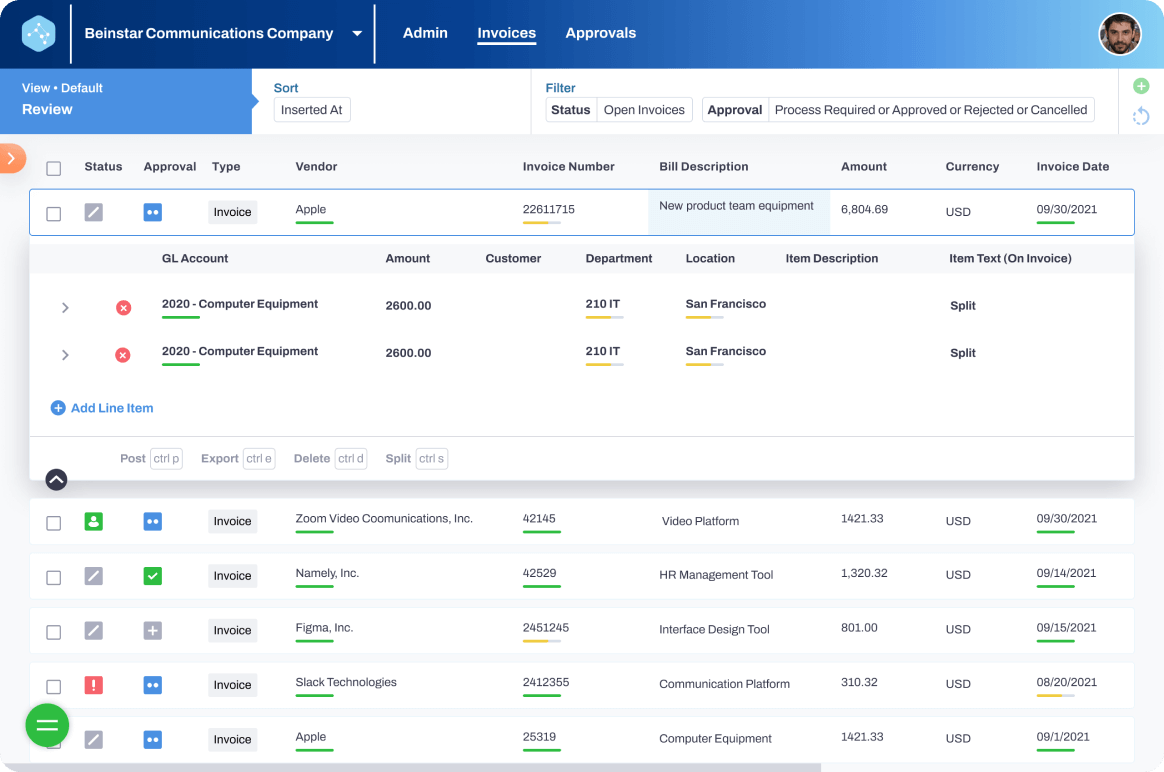
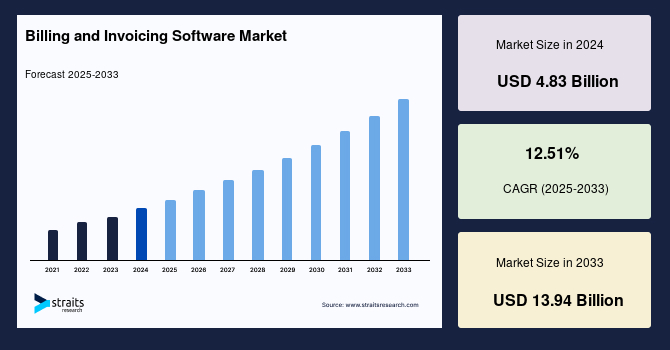

In 2026, many businesses use AI-powered invoicing tools.
Benefits of automation
- Automatic invoice generation
- Recurring invoices for subscriptions
- Late payment reminders
- Expense tracking
- Real-time financial analytics
Some tools even scan contracts and automatically generate invoices based on agreed terms.
6. Best Practices for Professional Invoices
Follow these tips to ensure faster payments:
✔ Use a clean and professional design
✔ Clearly state payment terms (e.g., Net 15 or Net 30)
✔ Send invoices immediately after completing work
✔ Offer multiple payment methods
✔ Use automated reminders for overdue invoices
7. Common Invoice Mistakes to Avoid
Avoid these frequent errors:
- Missing invoice numbers
- Incorrect totals
- Unclear payment terms
- Forgetting taxes
- Sending invoices late
These mistakes can delay payments and cause accounting issues.
Conclusion
Creating invoices in 2026 is simple thanks to modern digital tools and automation. By including the correct details, using invoicing software, and following best practices, businesses can ensure faster payments and better financial management.